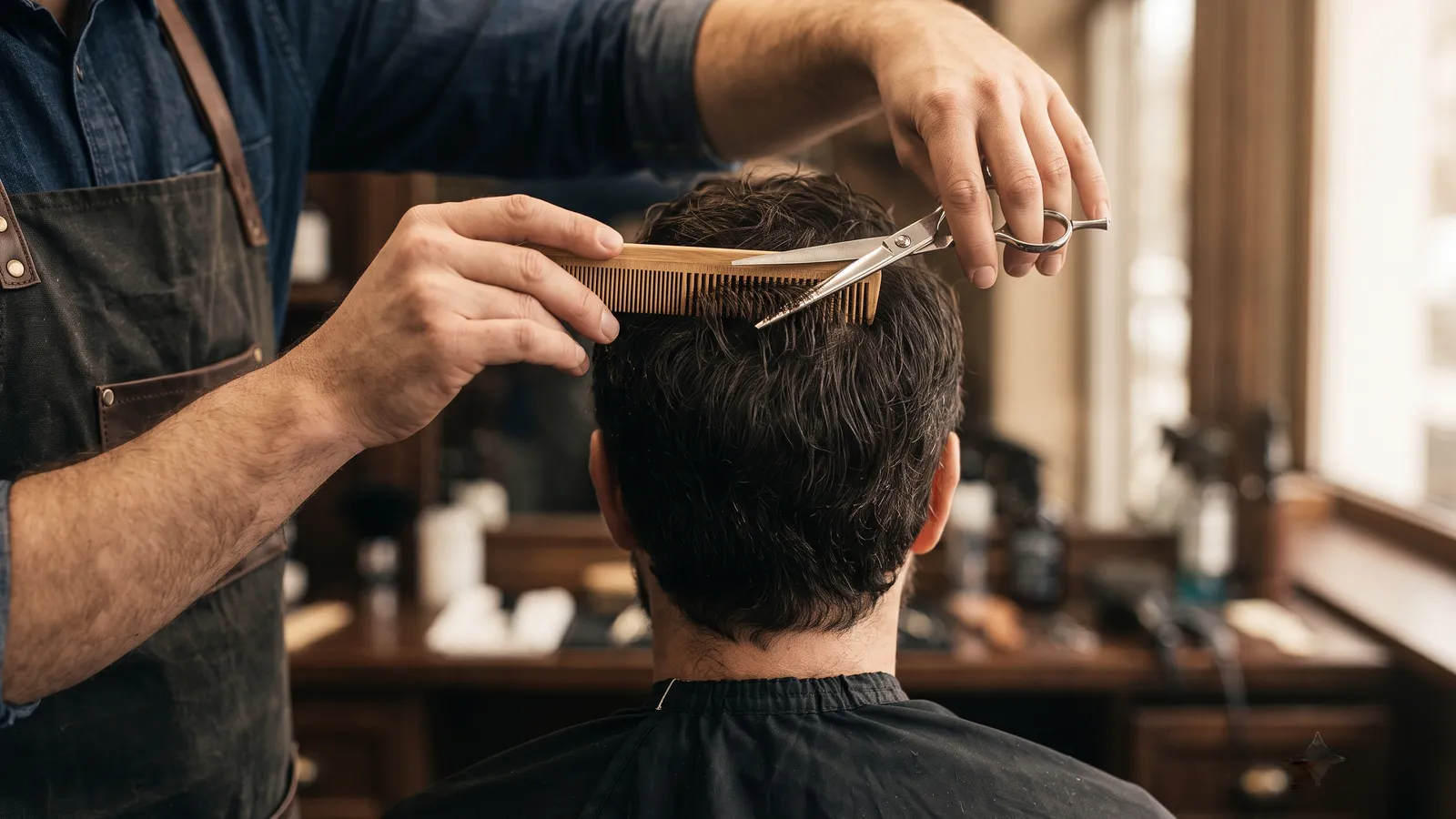
For barbershops — one chair or a whole crew
A website, online booking and a dashboard for your barbershop — by us. Live today.
TrimHQ sets up your shop’s own page. Clients book a barber and a time on it — no app, no account. You run the whole day from one board, walk-ins included.
Pay after you set up your shop. Unlimited barbers. Cancel anytime.
Your website
Stop sending your clients to somebody else’s app.
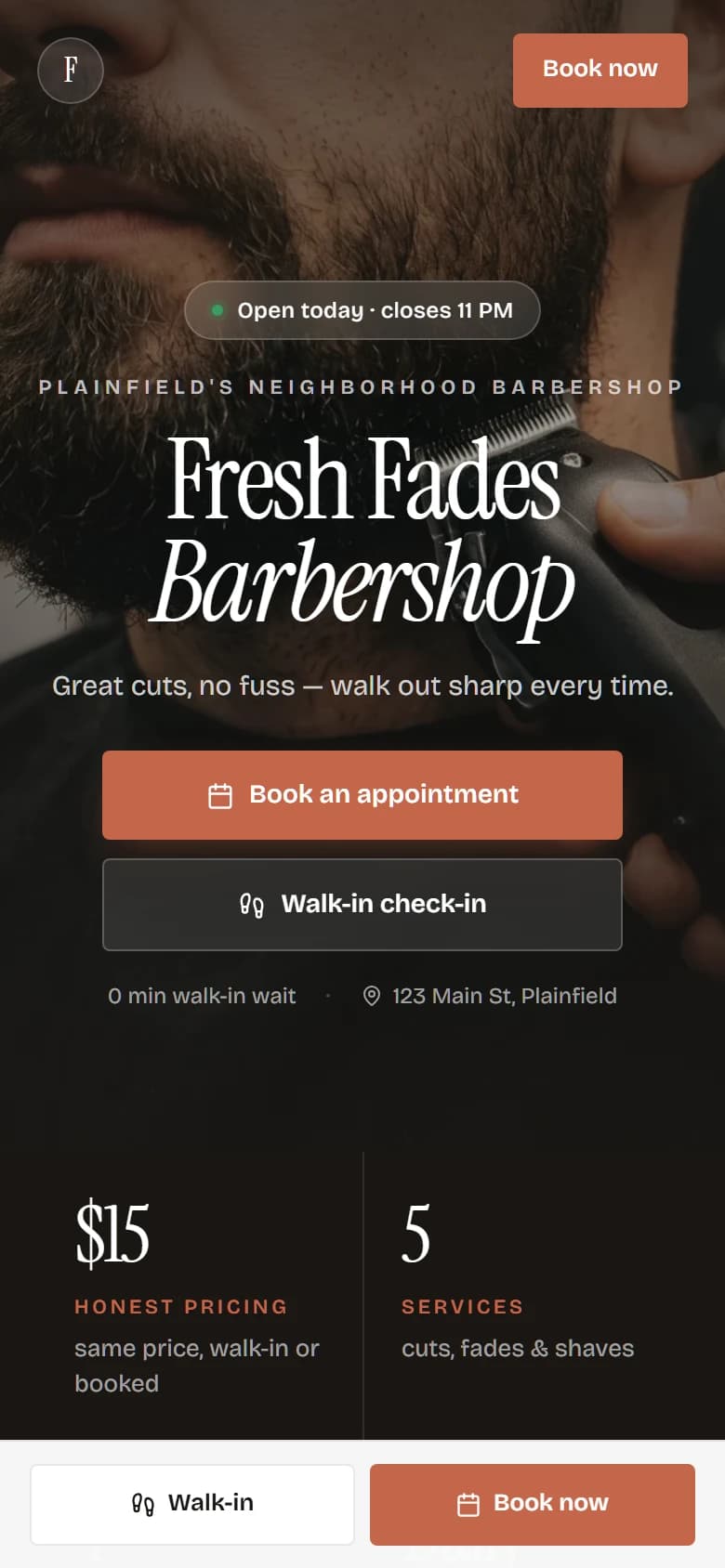
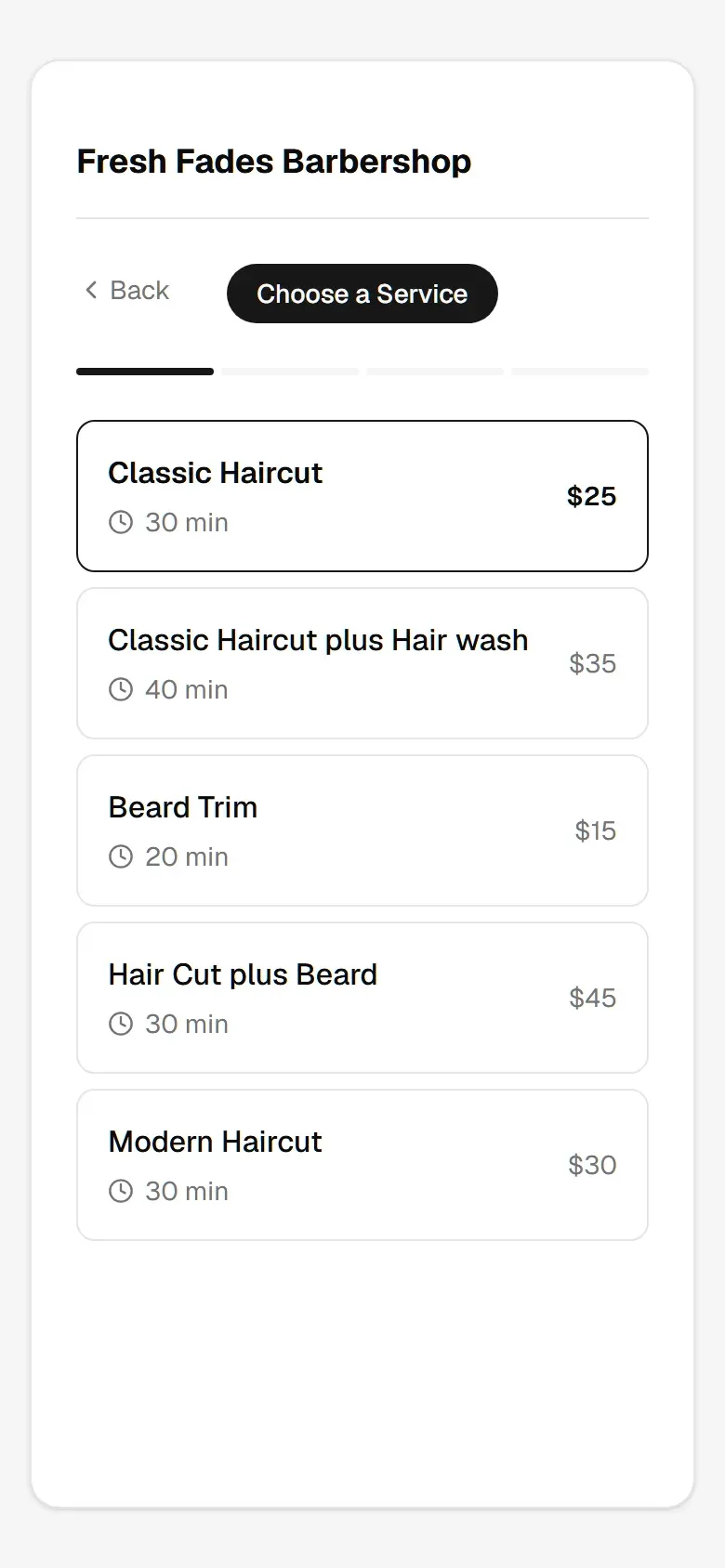
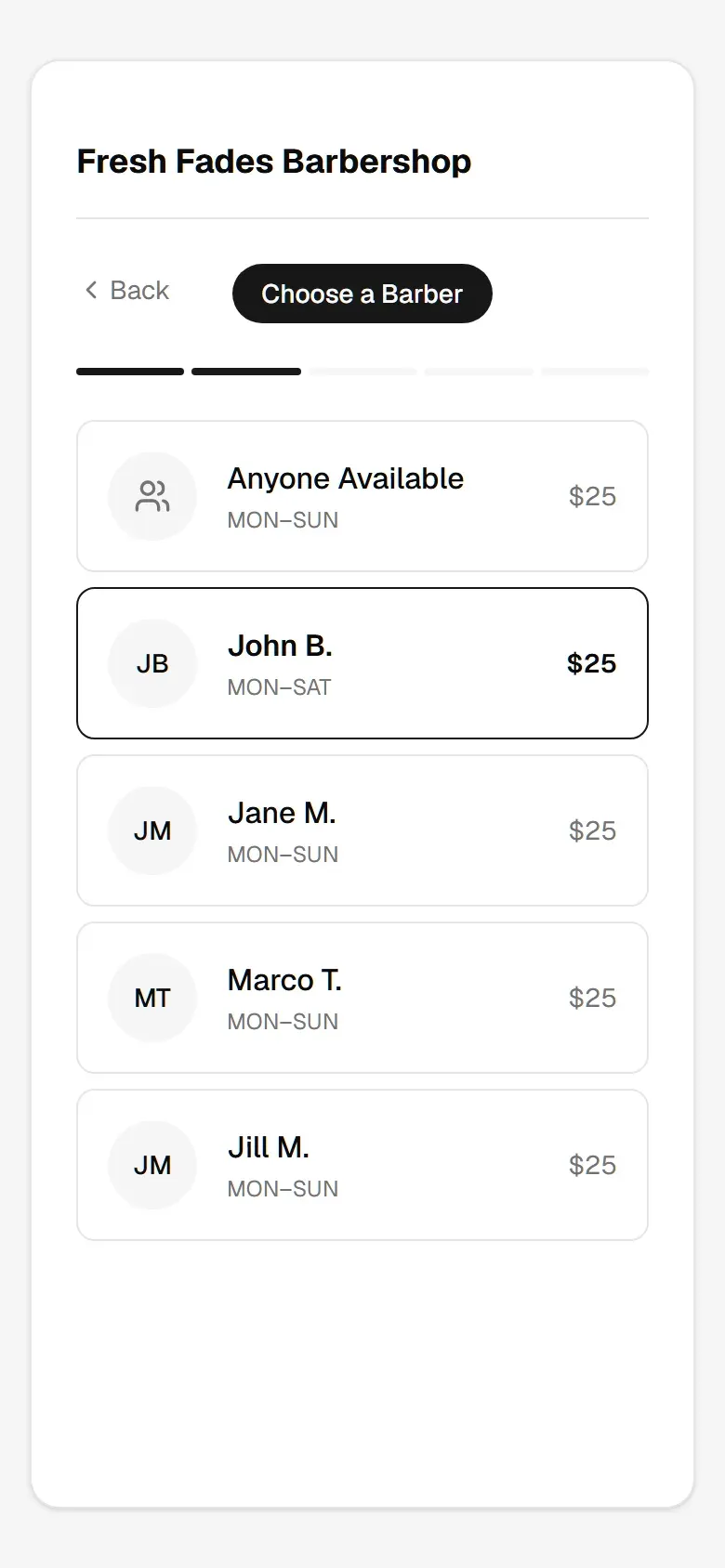
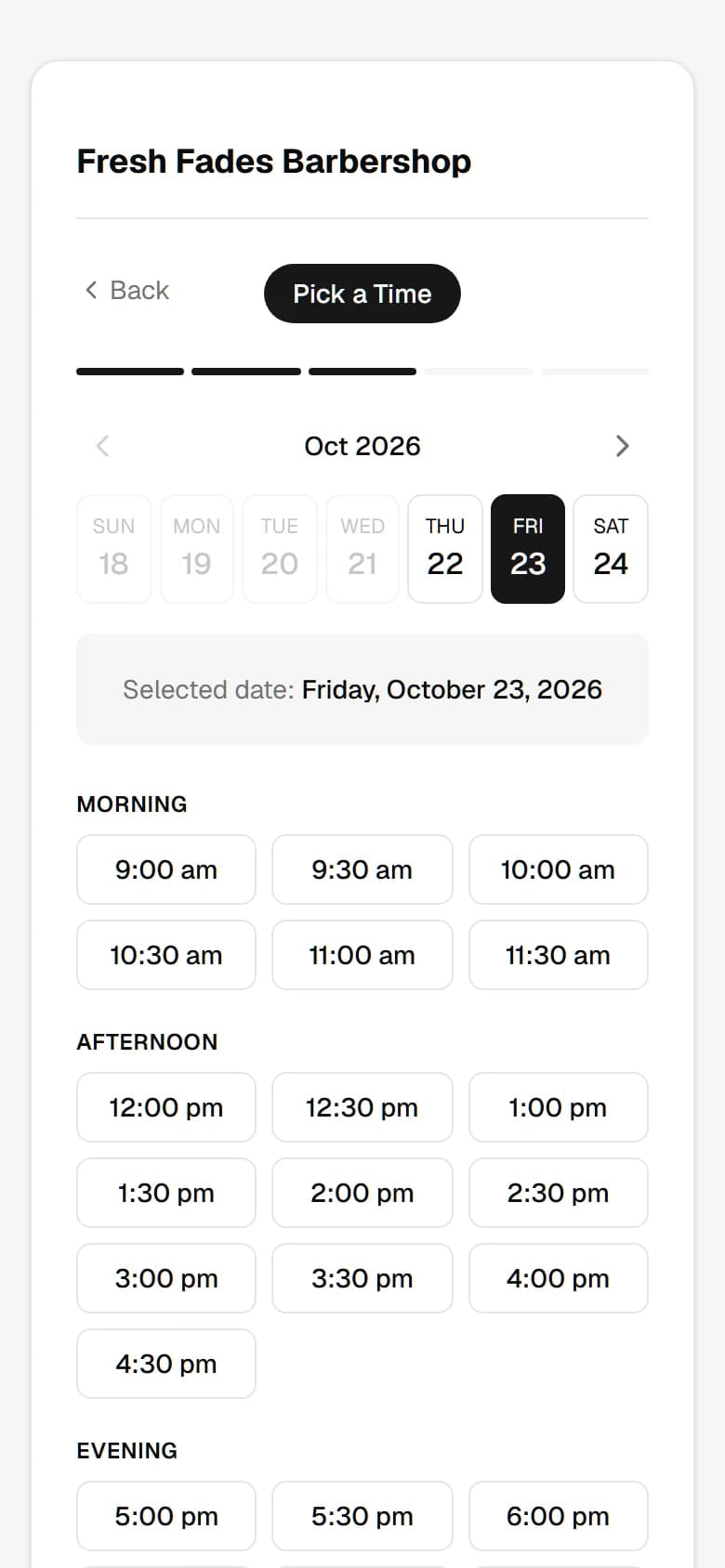
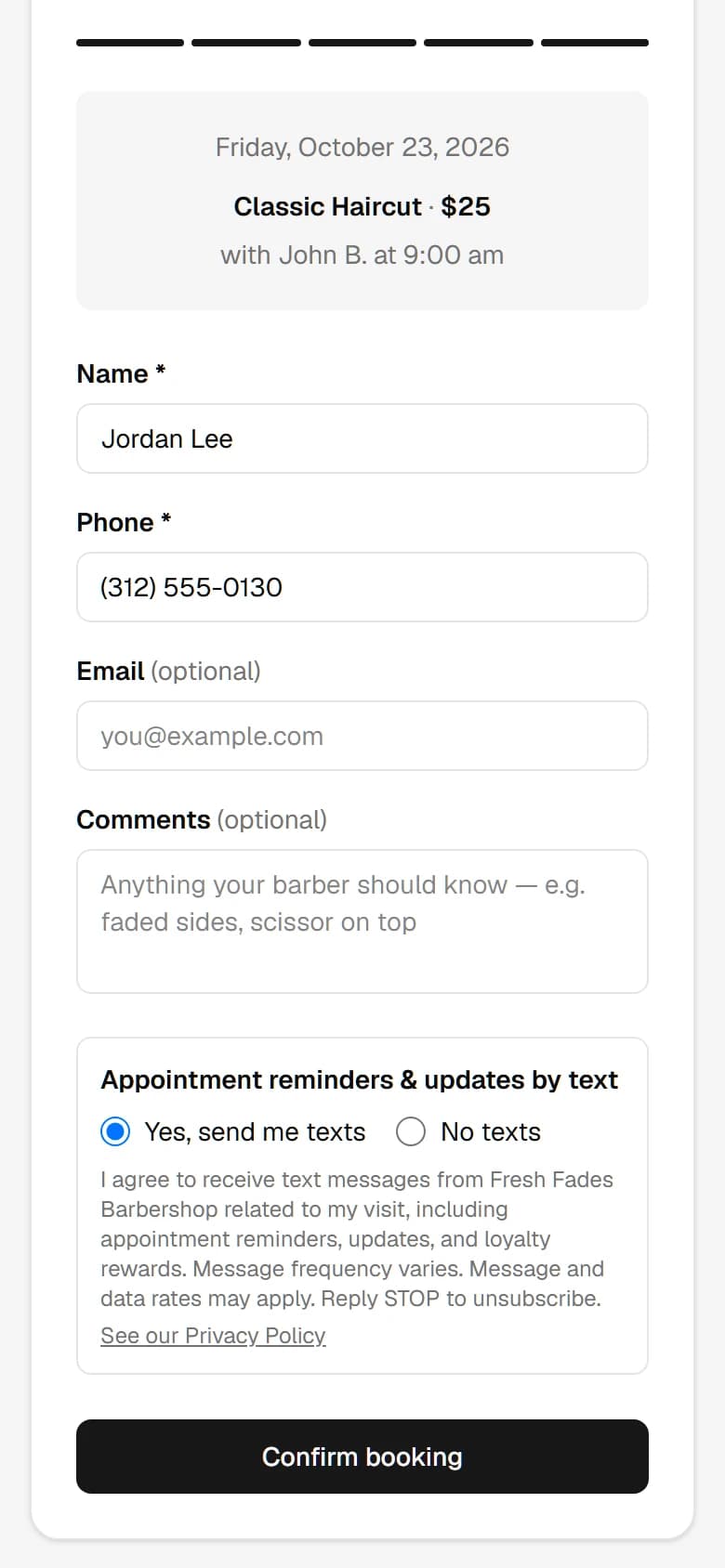
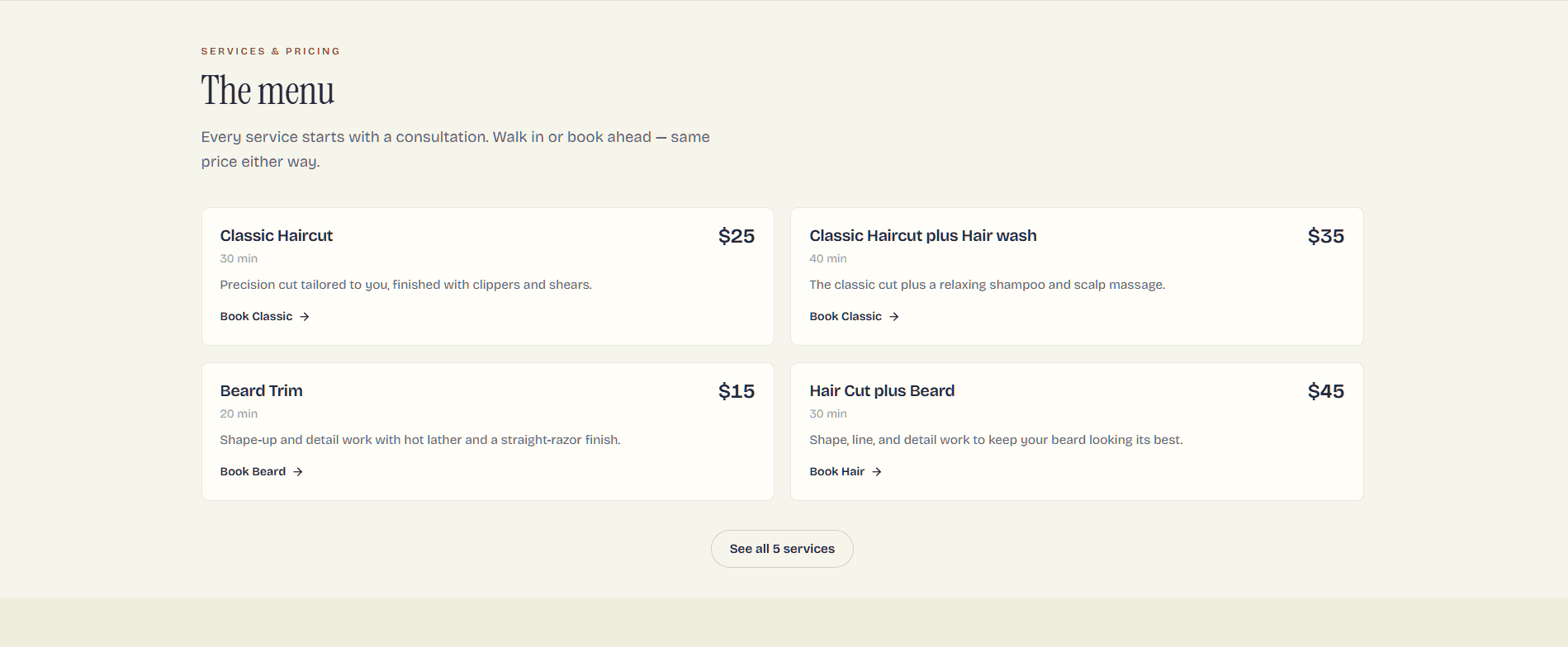
Every shop gets its own page at yourshop.trimhq.net — hours, the menu, your barbers, reviews and a Book button. Clients book in seconds, 24/7, with nothing to download.
Looks
Your shop, your look. Pick one, switch anytime.
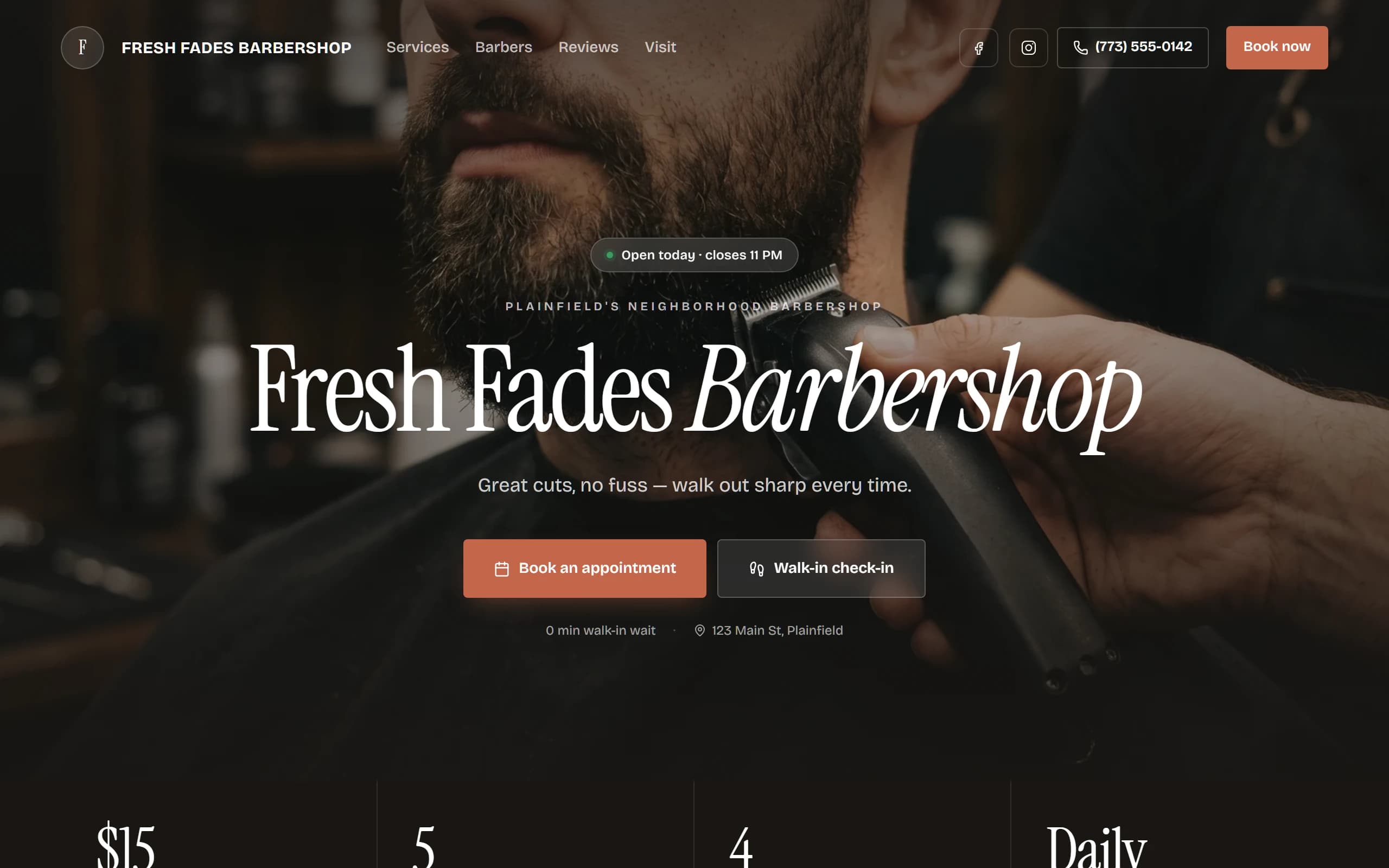
Every look is the same page underneath — your photos, menu, barbers and the live Open and walk-in status. Refined Classic comes with Free; every other look comes with Plus and Pro.Every look is the same page underneath — your photos, menu, barbers and live status. Refined Classic comes with Free; every other look comes with Plus and Pro.
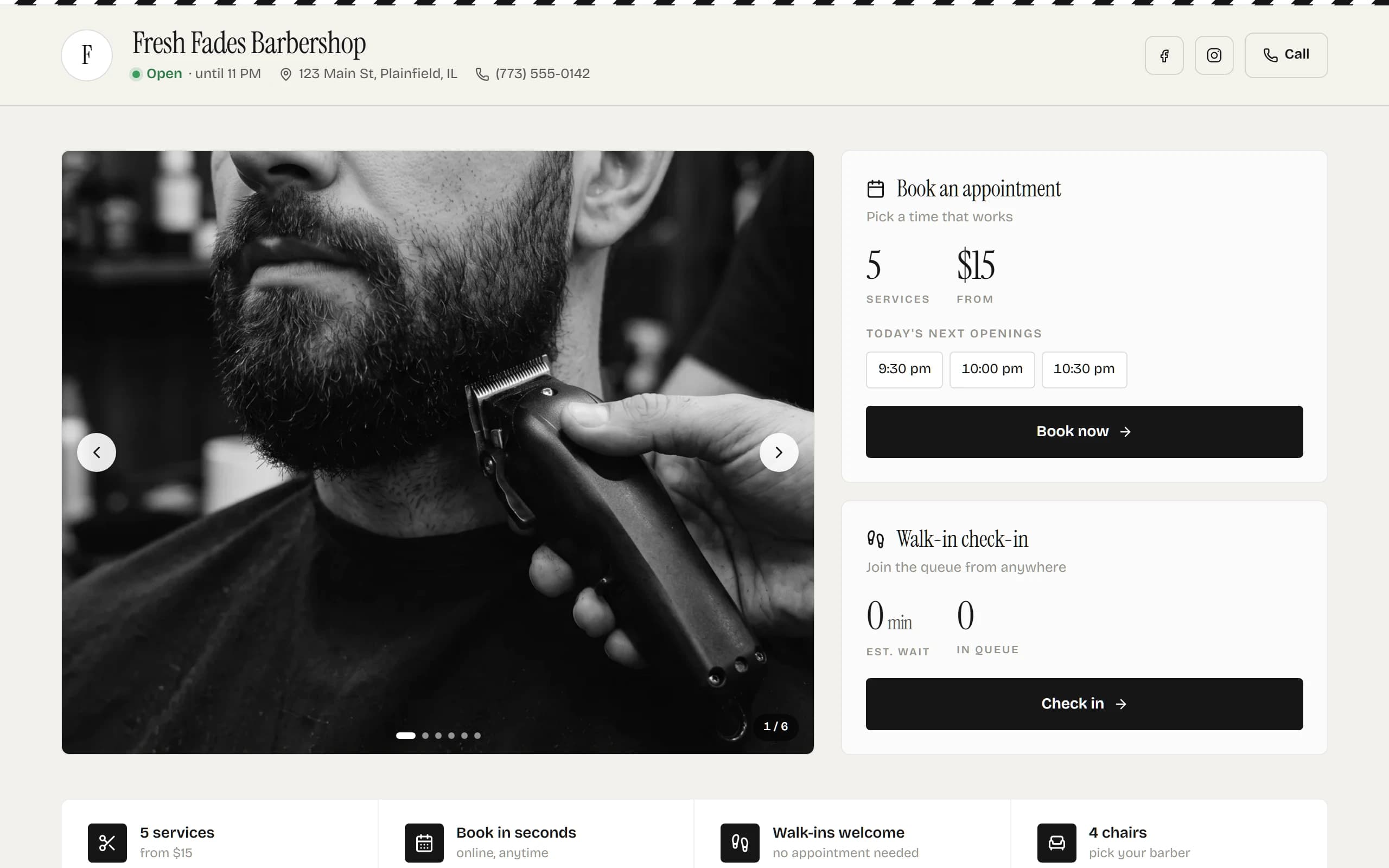
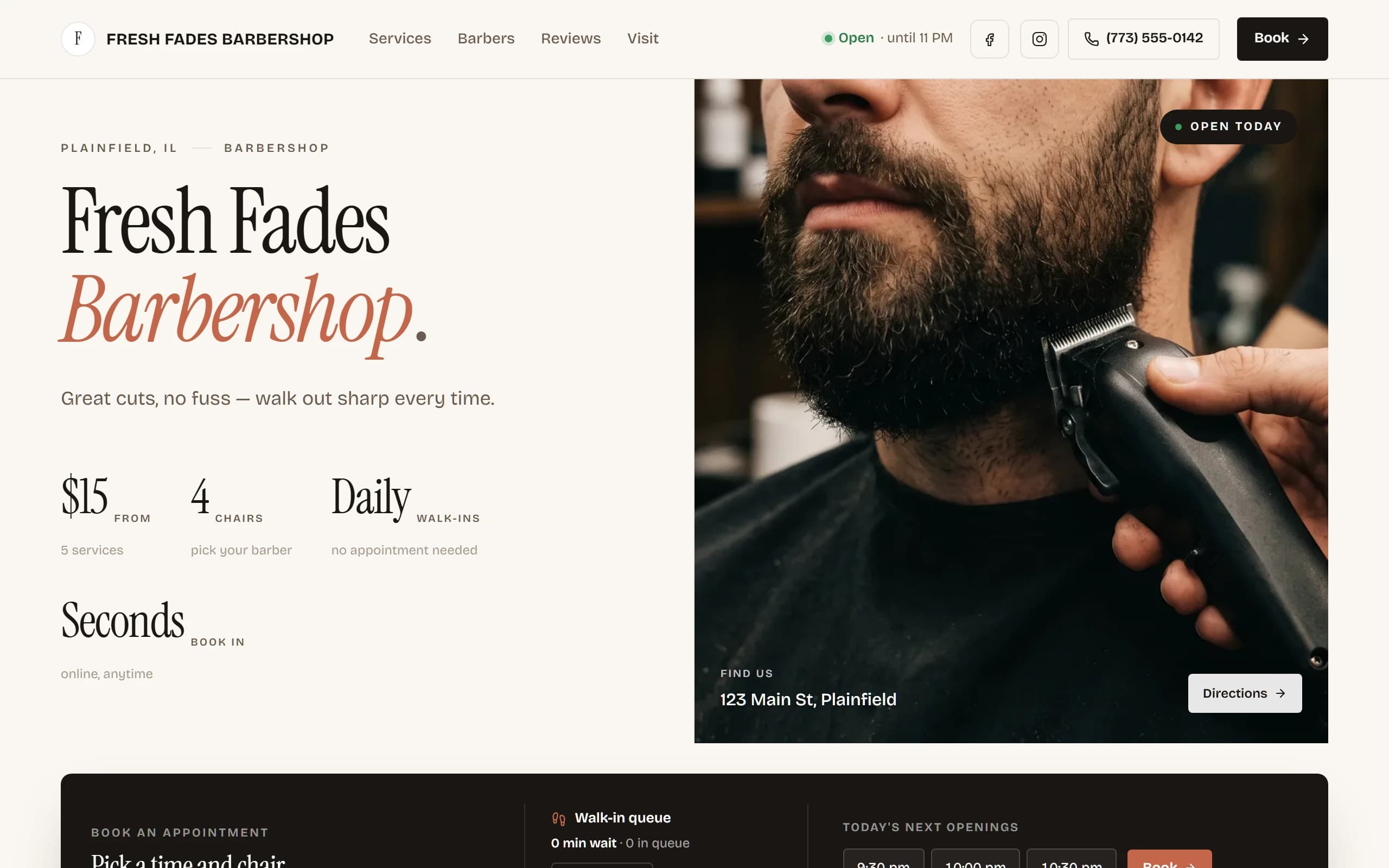
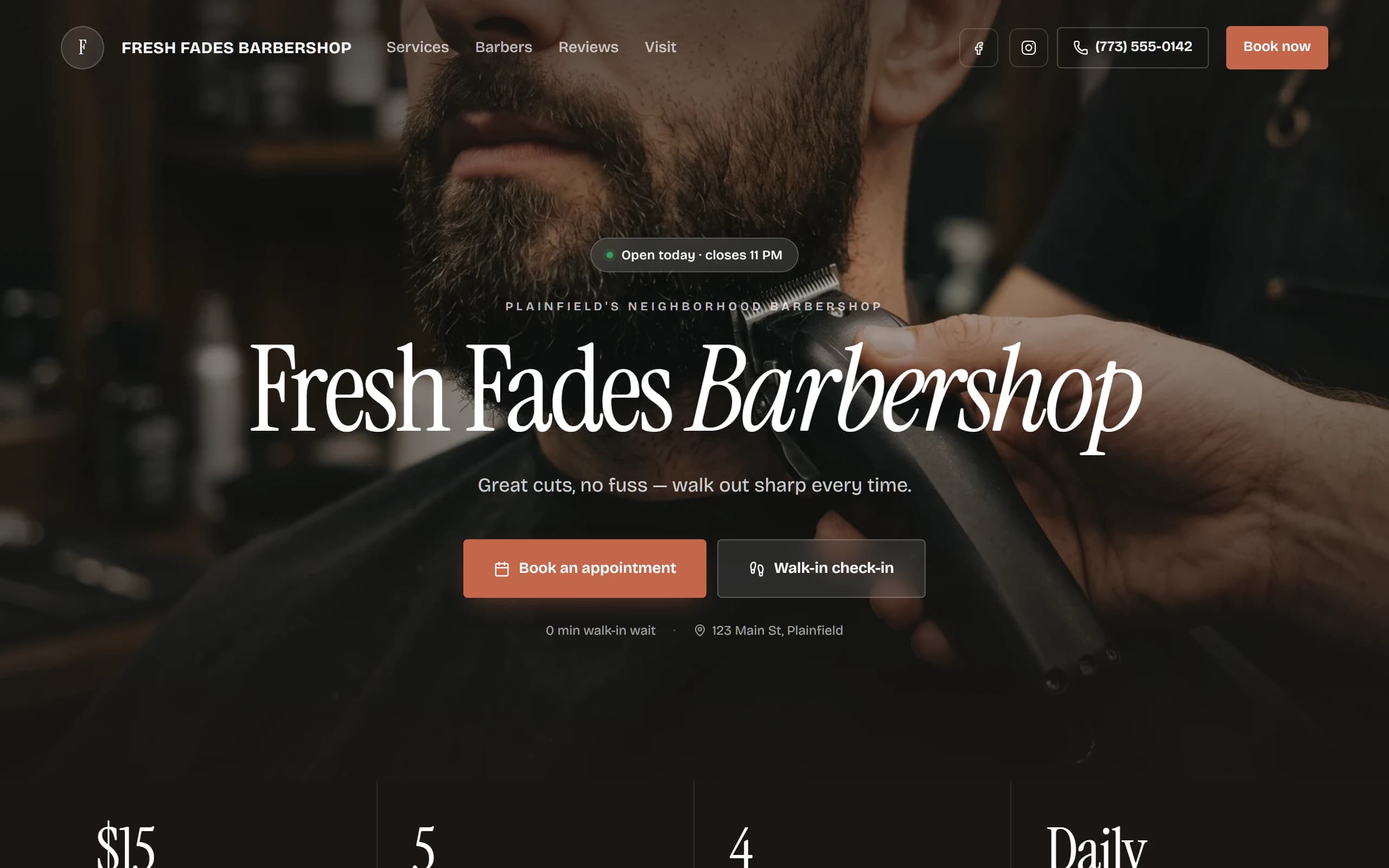
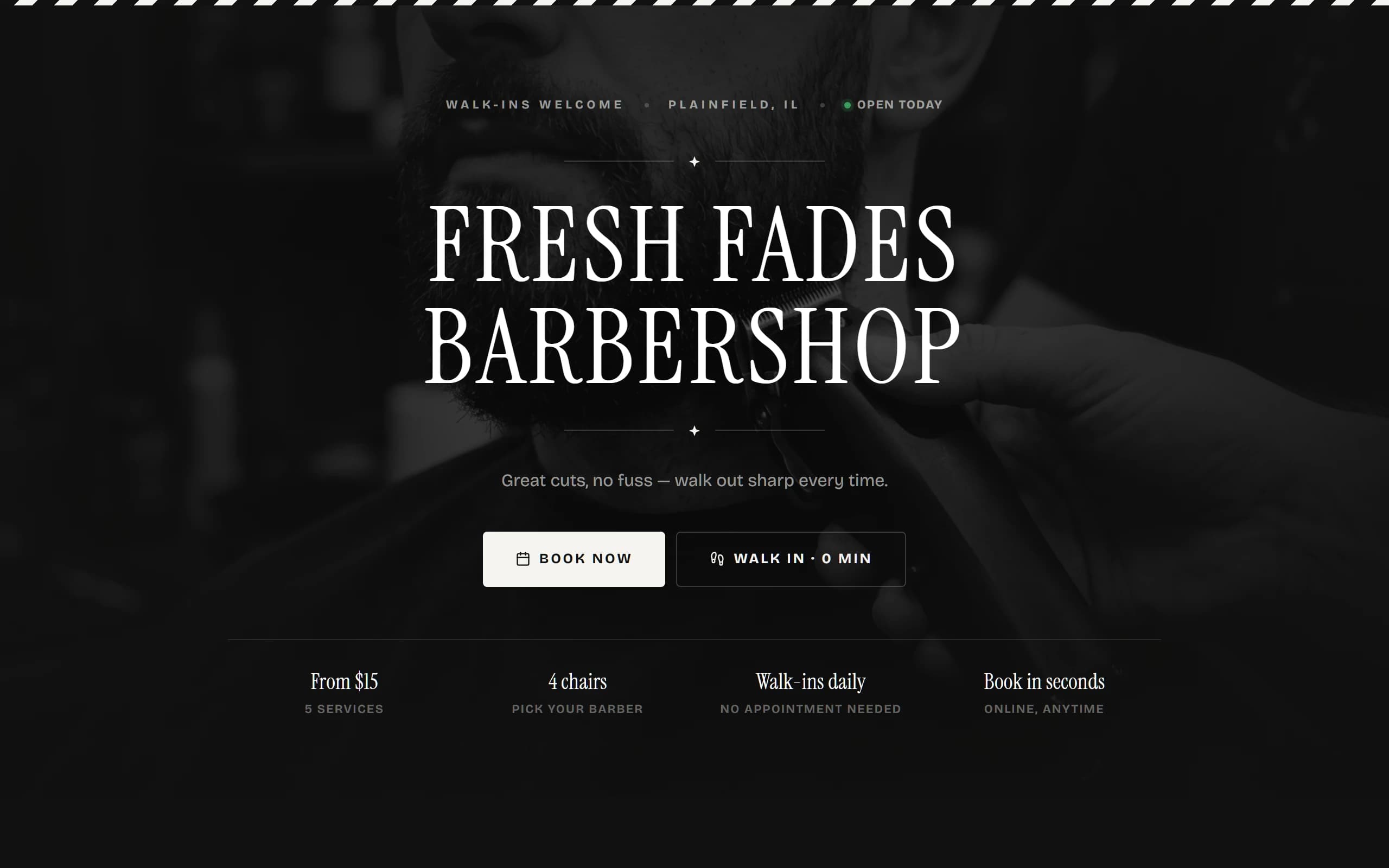
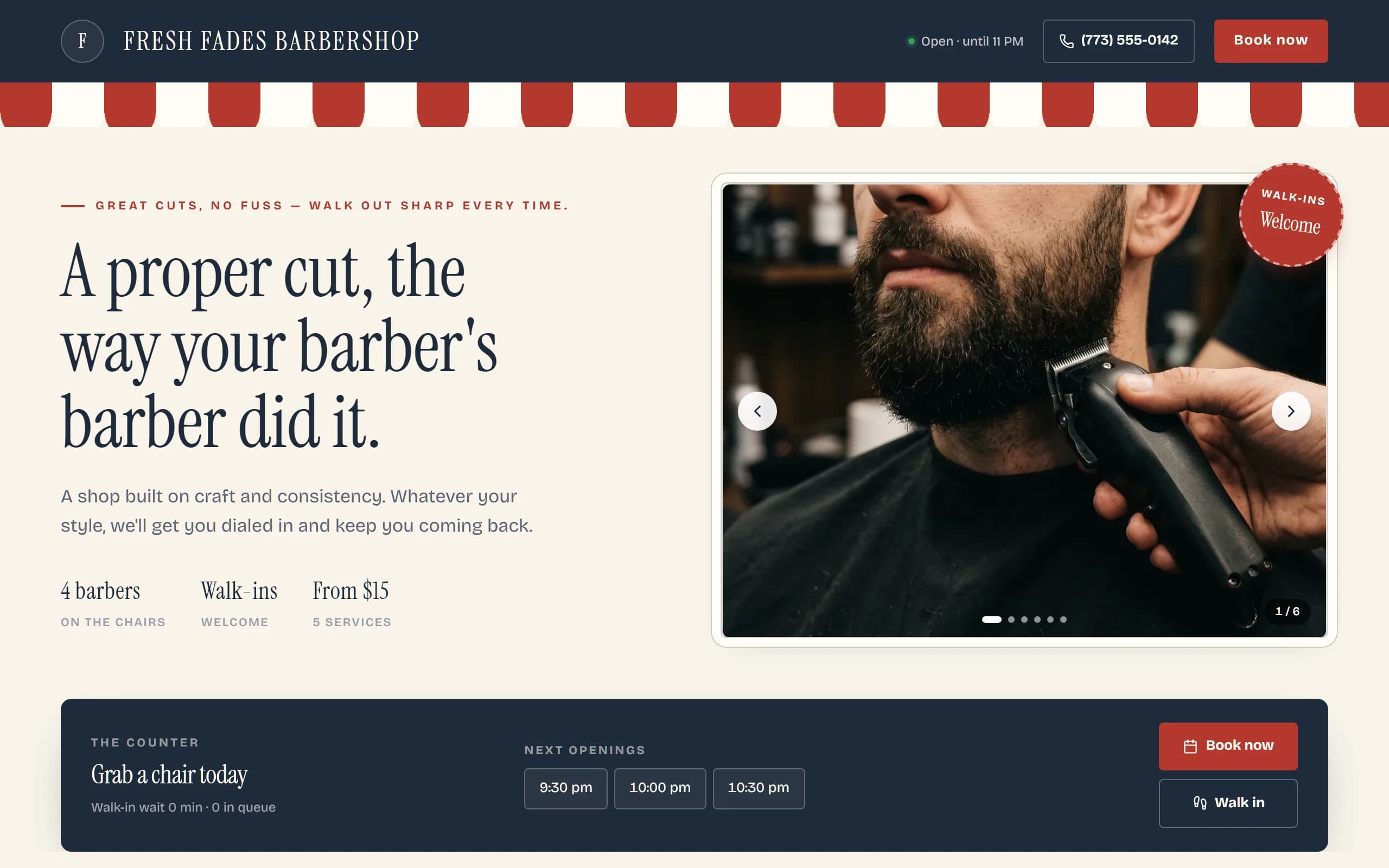
Refined Classic
Included with FreeTraditional monochrome — black accent, off-white ground, a barber-stripe ribbon, grayscale photos. The look every shop starts with.
Walk-in check-in
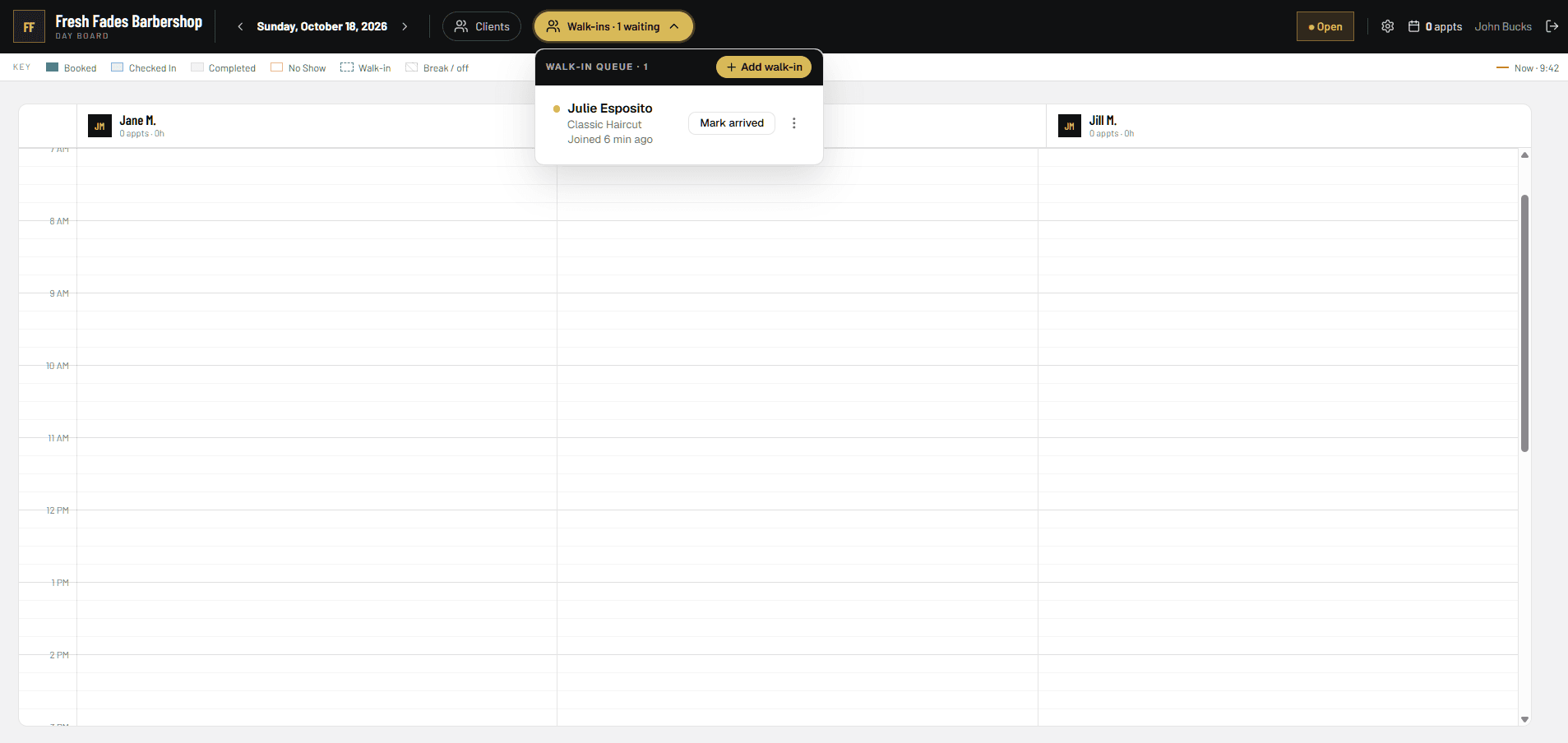
Walk-ins check in from their phone. No sign-in sheet.
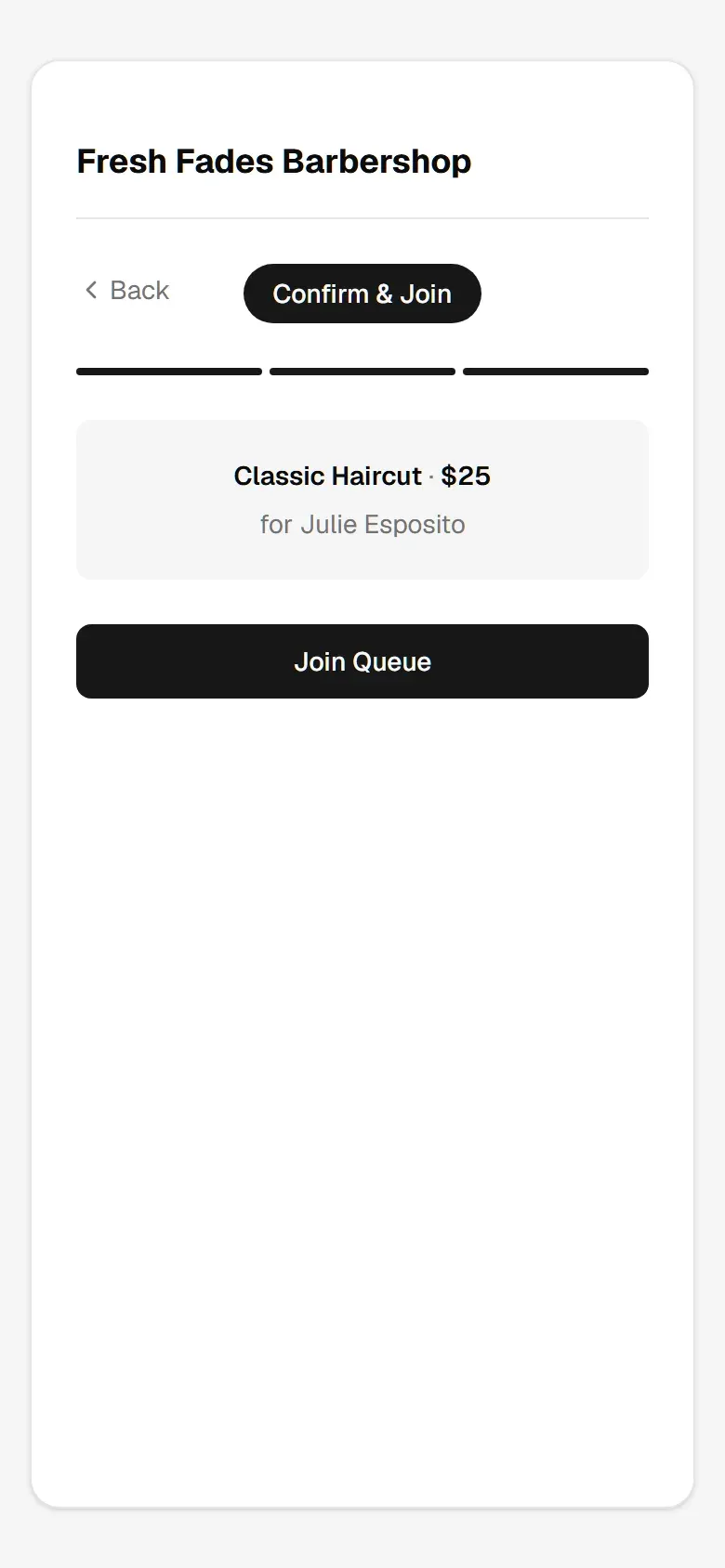
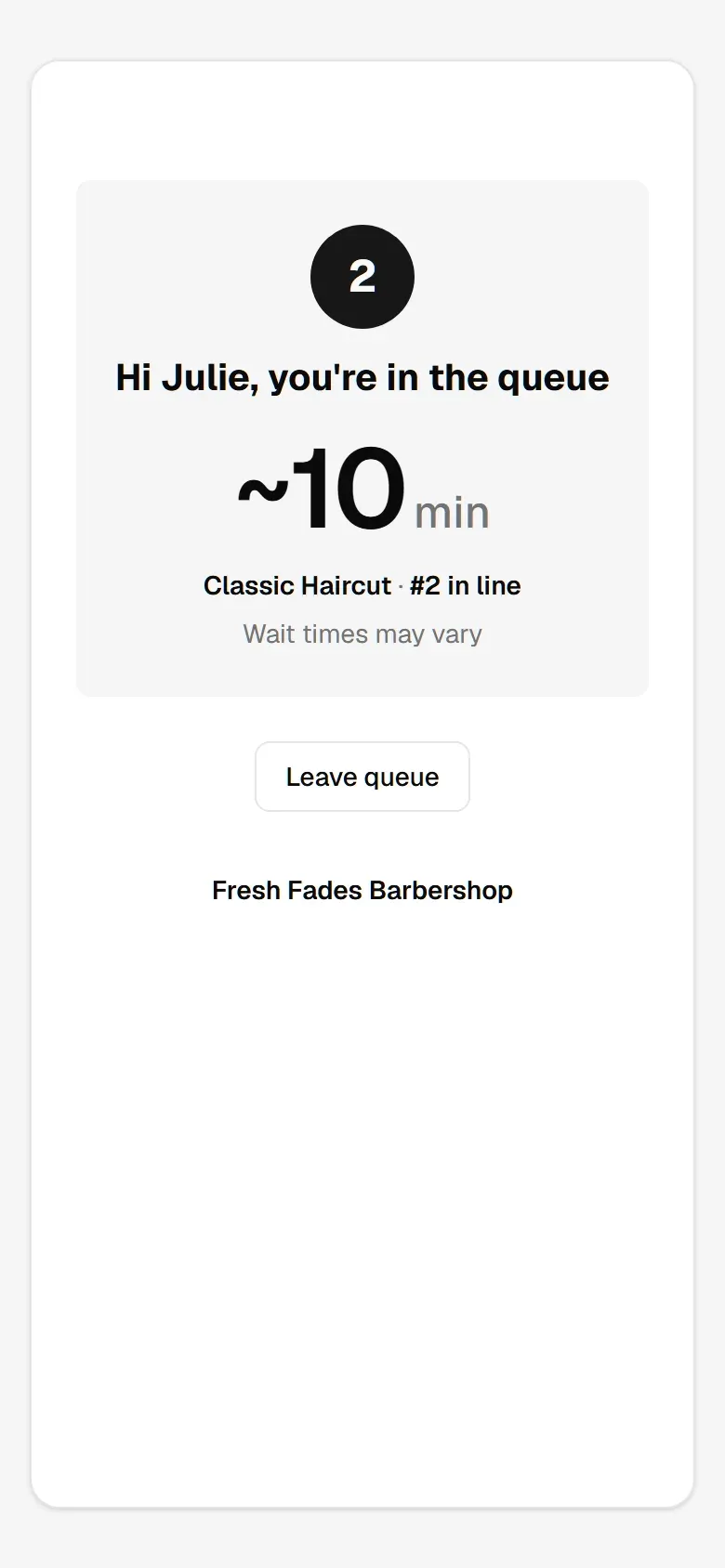
Someone walks in, taps Walk-in check-in on your page, types a name and picks a service — they're in line. They see their place and wait time on their phone; you see them on the board next to your bookings, and mark them arrived when the chair opens.Someone walks in, taps Walk-in check-in on your page, types a name and picks a service — they're in line. They see their place on their phone; you see them on the board and mark them arrived.
Quick walkthrough · walk-in
A tour of your dashboard
Where you spend your day.
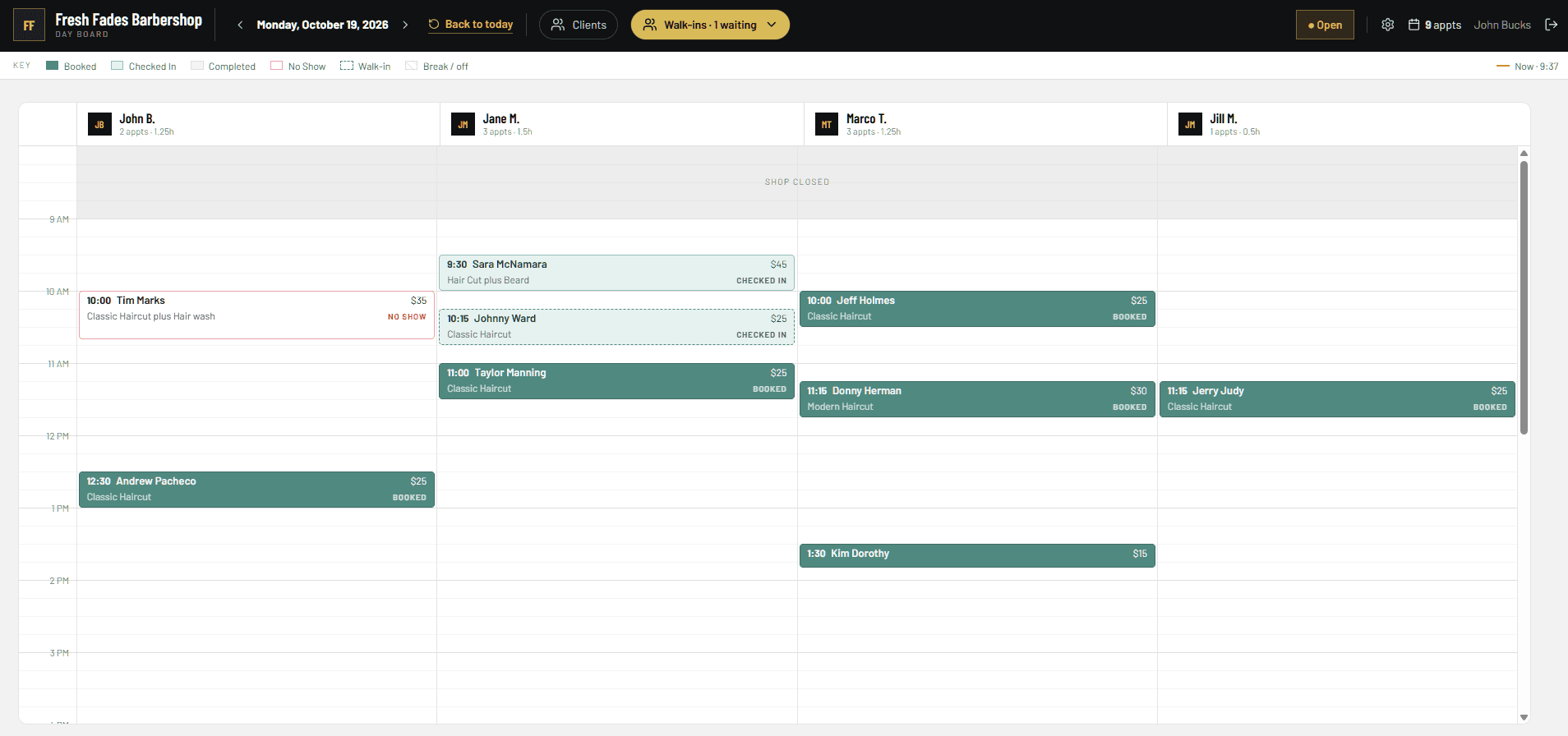
This is the screen behind the counter — real, not a drawing. Slide through it: every button a barber touches in a day is here, and nothing else.The screen behind the counter — real, not a drawing. Swipe through it; tap a screen to enlarge.
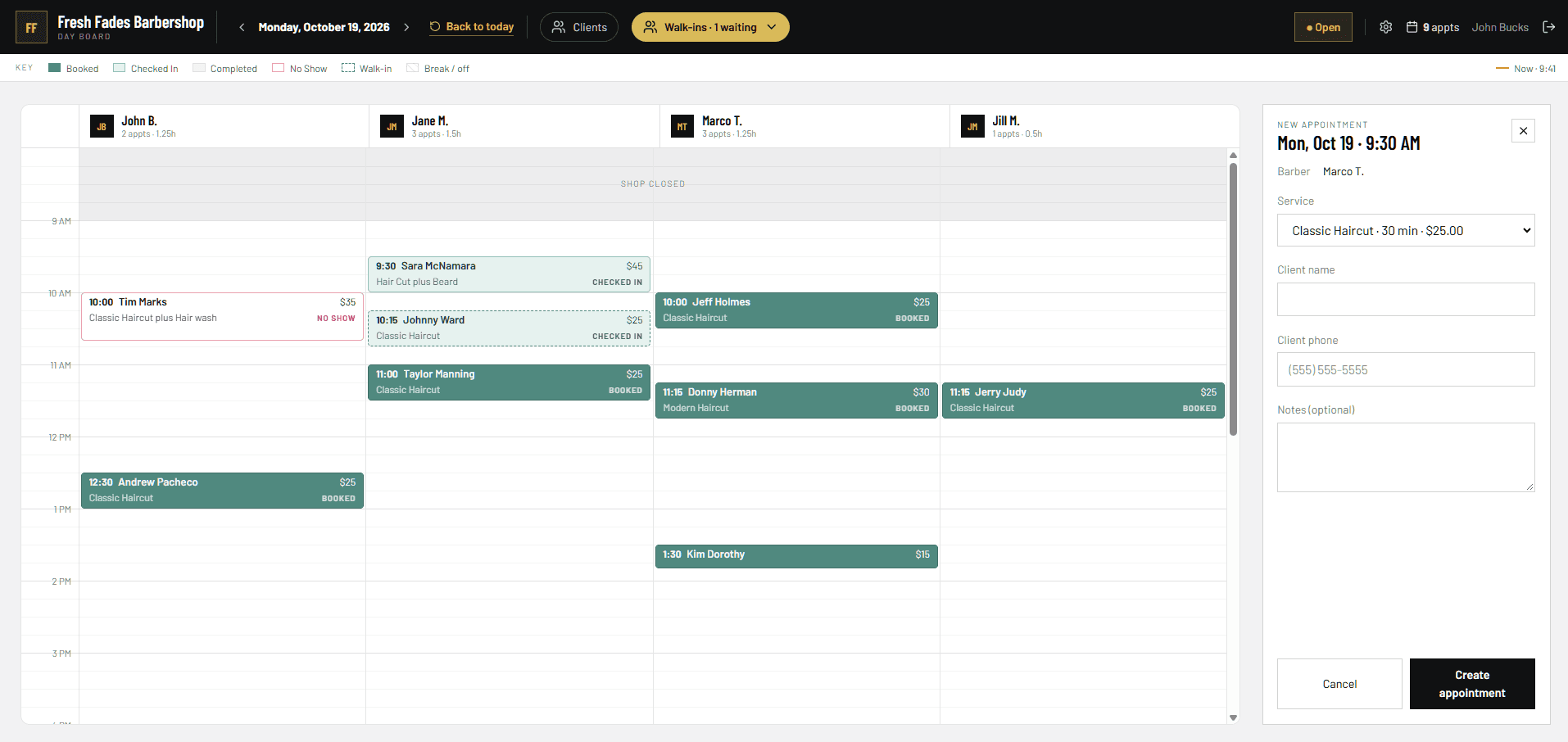
The Day Board
One column per barber, the whole day top to bottom. The state is written on every card, so nobody learns a colour code.
- 1Your shop, today's date, back to today
- 2Clients — search anyone who's ever booked
- 3Open / Closed — flips what your website says
- 4A card: time, name, price, service, state
Deposits and no-shows
Stop losing money to no-shows.
Turn on Deposit Offers and the deposit goes straight to the barber’s own Stripe account. TrimHQ takes nothing. You set the window; the rules show before anyone pays.
That chair sat empty for 40 minutes. With a Deposit Offer on, the $10 deposit stays with the barber.
Deposit Offer
$10 to hold the chair
Set per service. Shown before the client pays.Set per service.
Cancellation window
24 hours
Cancel before it: refunded or kept as credit. Inside it: the shop keeps it.Before it: refunded or credit. Inside it: kept.
Deposits are optional, and a Plus feature. Everything else — the cut, tips — is paid at the counter, on your own POS, like today.
What barbers get
Free website
Your own subdomain, live hours and walk-in status. One look on Free, every look on Plus and Pro.
Online booking
Service, barber, time. No app, no account, 24/7.
Walk-in queue
A live line clients join from their phone. No clipboard.
Loyalty stamps
TrimPass — a stamp card in Apple and Google Wallet.
Unlimited barbers
Every chair gets a column. Never a per-barber fee.
Bring your own POS
A POS (point of sale) is how you take payment at your barbershop: Square, Clover, a card reader, cash. TrimHQ is not a POS provider and doesn't replace yours. Keep using what you have.
Pricing
Simple, honest pricing.
Free
$0 /mo
Recommended
Plus
$29.99 /mo
Pro
$69.99 /mo
Pay after you set up your shop · Cancel anytime · Billed monthly, no contract · Unlimited barbers on every plan
Getting started
Live by tonight.
Step 1
Create your shop
Name, hours, services and prices. Pick a look. About five minutes.
Step 2
Add your barbers
Each one gets a column on the board and their own booking link.
Step 3
Share your link
Instagram bio, Google profile, the shop window. Bookings start.
Questions
Things barbers ask us.
Do my clients need an app?
No. They open your link in a browser, pick a service, a barber and a time, and see their confirmation on screen. On Plus and Pro they also get a confirmation text and a reminder.
Is Free really free?
Yes. The website, booking, the walk-in line, the Day Board and loyalty stamps cost nothing, for as many barbers as you have. Texts and deposits are Plus and Pro features — a text costs us money to send, so they're not on Free.
Does TrimHQ take payments?
No. A POS (point of sale) is the register or card reader you take payments with at your barbershop — Square, Clover, a plain terminal, or cash. TrimHQ is not a POS provider; you bring your own and keep using it. The only money that ever moves through TrimHQ is a deposit, and only if you turn on Deposit Offers (a Plus feature). Those go through Stripe straight to the barber's own account. The cut itself, tips, everything else — you take at the counter like today.
Who gets the deposit?
The barber. It lands in the Stripe account the shop designates for that chair, minus Stripe's own fee. TrimHQ takes nothing.
What about walk-ins?
They join the line from their phone or at the counter, see their place and wait time, and show up on the board as a dashed card next to the bookings.
Can I cancel?
Anytime. Plans are billed monthly in advance; cancelling stops future charges and your shop drops back to Free.
Your shop, online tonight.
Five minutes to set up. Pay only when you turn on Plus or Pro. Cancel anytime.